


Website Migration SEO Checklist: How to Migrate Without Losing Traffic


Website Migration SEO Checklist: How to Migrate Without Losing Traffic
TL;DR
A website migration SEO checklist is a step-by-step plan that protects your rankings when you change domain, platform, URL structure or design. The essentials: crawl and benchmark the old site, map every important URL to its new version with 301 redirects, test everything on staging, launch at a quiet time, then monitor indexing, rankings and traffic daily for the first weeks.
Key takeaways
- Most traffic losses come from missing redirects. Every URL that has traffic, rankings or backlinks needs a 301 redirect to its closest new equivalent.
- Benchmark before you touch anything. Without a full crawl and traffic baseline you cannot tell what broke after launch.
- Staging must be hidden, production must not. Block the test site from search engines, then remove that block on launch day.
- The first 30 days decide the outcome. Daily checks of 404s, indexing and rankings let you fix problems before they cost you.
- AI search needs consistency too. Keep your brand details, structured data and key content stable so AI assistants keep recognizing and citing you.
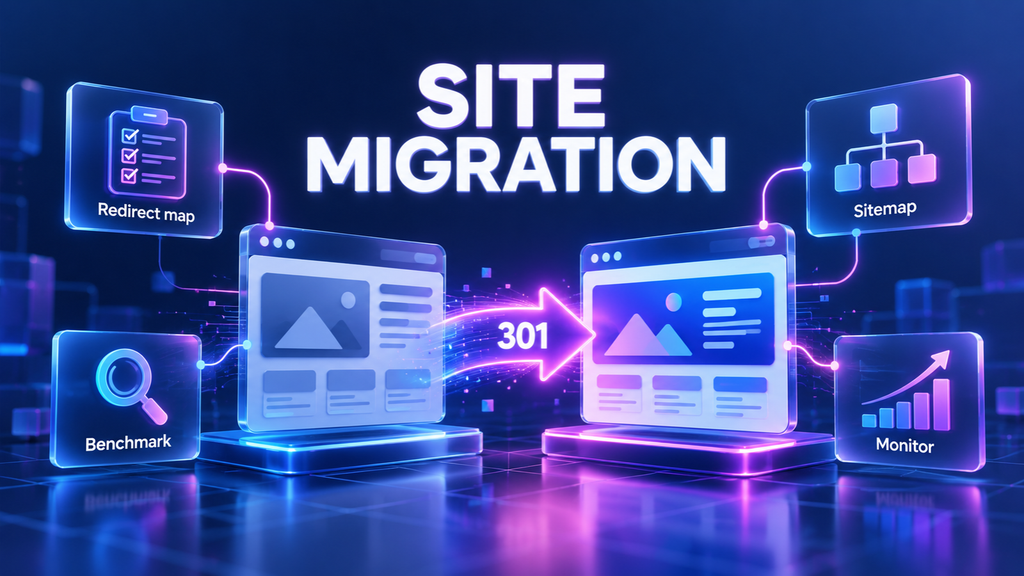
Website migrations are one of the riskiest moments in SEO. A new platform, a new domain or a redesign can be great for the business, but a single missed step can wipe out years of rankings in a few days. The good news: almost every migration traffic drop is preventable.
This website migration SEO checklist walks you through what to do before, during and after launch, with a copyable checklist, a redirect map example and the mistakes we see most often.
What Is a Website Migration?
A website migration is any significant change to a site that can affect how search engines find, crawl and rank it. The most common types:
- Platform migration. Moving to a new CMS or ecommerce platform, for example from WooCommerce to Shopify or from a custom build to WordPress.
- Domain migration. Moving to a new domain name, or merging several domains into one.
- Protocol or subdomain change. HTTP to HTTPS, www to non-www, or moving a blog from a subdomain to a subfolder.
- URL structure change. New categories, new slugs or a new site architecture.
- Redesign. A new design and templates that change content, headings, internal links or page speed.
Several of these often happen at once, which multiplies the risk. That is why a migration needs an SEO plan, not only a development plan.
Why Websites Lose Traffic After a Migration
Search engines rank URLs, not businesses. When URLs change, Google has to rediscover every page, understand where the old one went and transfer its signals to the new one. Traffic drops when that chain breaks:
- Missing or wrong redirects. Old URLs return 404 or redirect to the homepage, so their rankings and backlinks are lost.
- Blocked crawling. The staging robots.txt or a noindex tag goes live by mistake.
- Lost content. Text, headings, FAQs or internal links disappear in the new templates.
- Broken technical signals. Canonical tags, hreflang, structured data or the XML sitemap still point to old URLs.
- Slower pages. A heavier theme hurts Core Web Vitals and user experience.
A small temporary dip of a few weeks is normal. A drop that keeps growing after a month almost always means one of the problems above.
Website Migration SEO Checklist: Step by Step
Step 1. Set goals, scope and a timeline
Write down what is changing (domain, platform, URLs, design, content) and what must stay the same. Agree on a launch date with a buffer, and avoid your busiest season. Make sure one person owns SEO sign-off at every stage.
Step 2. Crawl the old site and save a benchmark
Crawl the current site with an SEO crawler and export every URL, status code, title, meta description, H1, canonical and internal link. Export organic traffic and top pages from Google Analytics, queries and pages from Google Search Console, and rankings for your key keywords. Note the pages that have backlinks. This is your “before” snapshot.
Step 3. Choose which pages to keep, merge or remove
Use the benchmark to decide the fate of each URL. Pages with traffic, rankings, conversions or backlinks stay or get merged into a close equivalent. Thin, outdated pages with no value can be removed, but still need a redirect to the most relevant page if they have links.
Step 4. Build the redirect map
Create a spreadsheet with every old URL in one column and its new URL in the next. Redirect one-to-one to the closest equivalent page, not to the homepage. Use permanent 301 redirects, avoid redirect chains, and keep the map: you will use it to test after launch.
Step 5. Keep content, metadata and internal links
Move titles, meta descriptions, H1s, body text, FAQs and image alt text to the new pages. Update internal links so they point directly to new URLs instead of going through redirects. If you rewrite content during the migration, change only what you must and improve the rest later, so you can tell what caused any ranking change.
Step 6. Prepare technical SEO on staging
On the staging site, block search engines with a password or noindex so the test version is never indexed. Then check: canonical tags point to new URLs, structured data is valid, hreflang is correct for multilingual sites, page speed is at least as good as before, and the new XML sitemap lists only live, indexable URLs.
Step 7. Launch and test the same day
Launch at a low-traffic time. Immediately remove the staging block (password or noindex) and check robots.txt. Test a sample of redirects from your map, including top pages and pages with backlinks. Submit the new XML sitemap in Google Search Console. For a domain change, also use the Change of Address tool in Search Console.
Step 8. Monitor daily for 30 days
Check Google Search Console for 404 errors, indexing issues and crawl errors every day for the first two weeks, then weekly. Compare traffic and rankings with your benchmark. Re-crawl the new site to catch broken links, redirect chains and missing tags. Keep the old domain and its redirects active for at least a year.
Website Migration Checklist (Copy and Use)
| Stage | Task | Done when |
| Before | Scope, goals and launch date agreed | One owner signs off SEO |
| Befor | Full crawl and traffic benchmark saved | Export of URLs, rankings, top pages, backlinks |
| Before | Keep, merge or remove decision for every URL | Every URL has a status |
| Before | Redirect map built | Every old URL maps to one new URL with a 301 |
| Before | Content, metadata and internal links moved | Titles, H1s, text and FAQs match or improve |
| Before | Staging blocked from search engines | Password or noindex on staging only |
| Before | Technical checks on staging | Canonicals, schema, hreflang, speed, sitemap OK |
| Launch | Staging block removed, robots.txt checked | Live site is crawlable and indexable |
| Launch | Redirects tested | Top pages and backlinked URLs return 301 to the right page |
| Launch | New sitemap submitted | Sitemap accepted in Google Search Console |
| After | Daily checks for 2 weeks | 404s, indexing and crawl errors fixed |
| After | Rankings and traffic compared with benchmark | Gaps found and fixed page by page |
| After | Old domain and redirects kept | Active for at least 12 months |
Example: A Redirect Map
Here is what a few lines of a redirect map look like for a store moving from WooCommerce to Shopify.
| Old URL | New URL | Note |
| /product-category/swimwear/ | /collections/swimwear | Category to collection |
| /product/black-bikini-set/ | /products/black-bikini-set | Product URL format changes |
| /blog/how-to-choose-a-swimsuit/ | /blogs/news/how-to-choose-a-swimsuit | Blog path changes on Shopify |
| /sale/ | /collections/sale | Same page, new path |
| /old-summer-collection-2022/ | /collections/swimwear | Outdated page merged into the closest live one |
Every line is a single 301 redirect to the closest page, not to the homepage.
How to Keep AI Search Visibility During a Migration
Google AI Overviews, ChatGPT and Perplexity rely on pages they have already crawled and on what they know about your brand. A migration can confuse them if too much changes at once. To keep your AI visibility:
- Keep your brand details identical. Same company name, address, phone and descriptions on the new site and in your profiles.
- Move structured data with the content. Organization, Product, Article and FAQ schema should be live on the new URLs from day one.
- Do not block AI crawlers by accident. Review robots.txt so the crawlers you want can still access the site.
- Keep answer-first content. Pages that were cited for clear answers should keep those answers and headings after the move.
This is part of our AI SEO services, where we plan for both Google rankings and AI visibility.
Common Website Migration SEO Mistakes
- Redirecting everything to the homepage. Google treats it like a 404, and the page’s rankings are lost.
- Launching with noindex or a blocked robots.txt. One leftover line from staging can remove the whole site from search.
- Changing URLs, design and content all at once. If traffic drops, you cannot tell which change caused it.
- No benchmark. Without “before” data, you cannot find which pages lost traffic.
- Removing old redirects too early. Backlinks and bookmarks still point to old URLs for years.
- Forgetting internal links. Links that go through redirects waste crawl budget and slow down reindexing.
How SEO F1RST Handles Website Migrations
At SEO F1RST, we join migrations before development starts. We benchmark the old site, build and test the redirect map, review the new templates on staging and monitor rankings, indexing and AI visibility after launch. In one WooCommerce migration, we restored and grew organic traffic by 19.37% within 1.5 months without building new backlinks. Read the migration case study or learn more about our SEO migration services.
FAQ: Website Migration SEO
What is a website migration in SEO?
A website migration in SEO is any major change to a site’s domain, platform, URL structure or design that can affect how search engines crawl, index and rank it. It needs an SEO plan with redirects, benchmarks and monitoring to protect existing rankings and traffic.
How long does it take to recover traffic after a migration?
With correct redirects and no technical errors, most sites see rankings stabilize within 2 to 8 weeks. Large sites or domain changes can take a few months. A drop that keeps growing after a month usually points to missing redirects or indexing problems.
Should I use 301 or 302 redirects for a site migration?
Use 301 redirects for a site migration. A 301 tells search engines the move is permanent, so they replace the old URL with the new one in their index. Use 302 only for temporary changes you plan to reverse.
How long should I keep redirects after a migration?
Keep redirects for at least one year, and longer for pages with backlinks. Old URLs keep getting visits from links, bookmarks and search engines long after the move, and removing redirects early can bring back lost rankings problems.
Can I change design and URLs at the same time?
You can, but it adds risk. If traffic drops, it becomes hard to tell whether the cause is the new URLs, the new templates or changed content. When possible, keep URLs the same during a redesign, or migrate first and redesign later.
About the author
Vadym Romakh, SEO and GEO Specialist at SEO F1RST
Vadym has more than 10 years of experience in SEO and leads SEO and GEO strategy for ecommerce, Shopify and B2B brands at SEO F1RST. He holds Semrush certifications in AI search optimization and builds AI-assisted workflows for SEO audits and AI visibility tracking.
Planning a website migration?
We run a free SEO and AI visibility audit that shows where you rank in Google and how often ChatGPT, Gemini, Perplexity and AI Overviews mention your brand, so you know exactly what to protect before you move. Get your free audit and a clear plan for what to do next.


